 |
|
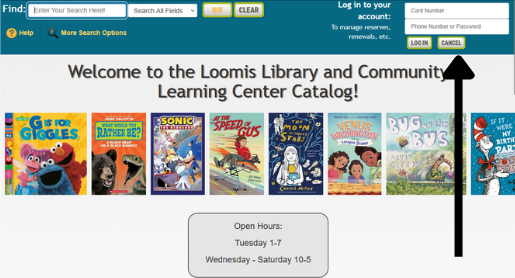
| In the upper right hand corner of the catalog, you can login to your account by entering your card number and password in their designated fields.
If this is the first time you are logging in or you have not established a separate password, the password will be the full 10-digit phone number that you provided when signing up for your library card. |
|
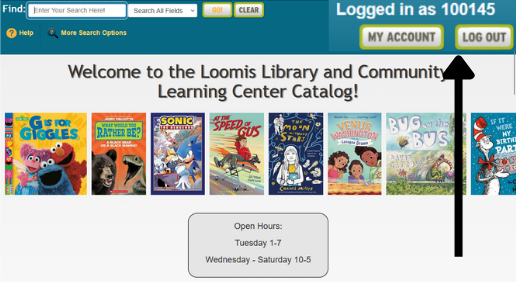
| Once you have logged in successfully, click on the “My Account” button in the upper right hand corner and this will generate a new menu below the search bar. |
|
|
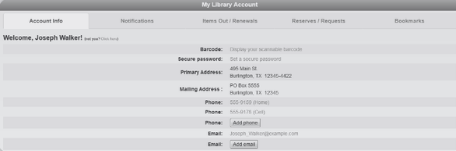
From your account, you can:
|
|
| To learn more about the features of your account or how to use the catalog, click on the “Help” button near the search bar. |

|